Generate a global invoice by WIP line not charge by by clicking on open WIP allocation
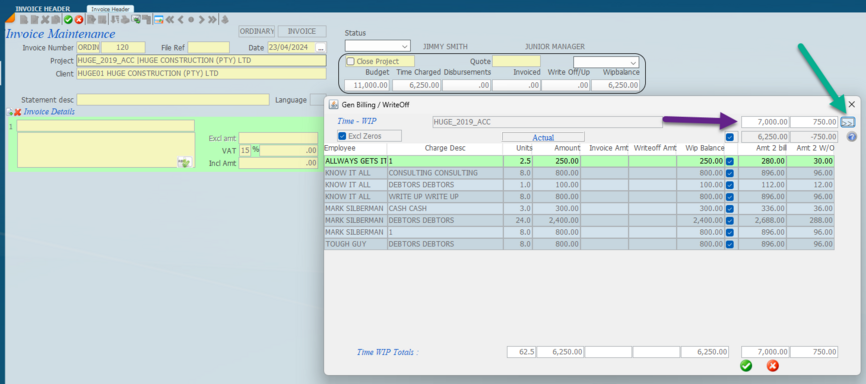
and the window with the WIP lines will be superimposed on the invoice screen.
If you click the top blue tick it will automatically tick each line item. Untick the ones that you do not want to invoice the line items you do not want to bill.
Enter the global amount you want to invoice and enter the write up or write off - the R7000 and the R750 where indicated by the purple arrow.
Click the double right arrow (indicated by the green arrow) and the amounts will pre-populate downwards against each line item with a blue tick.
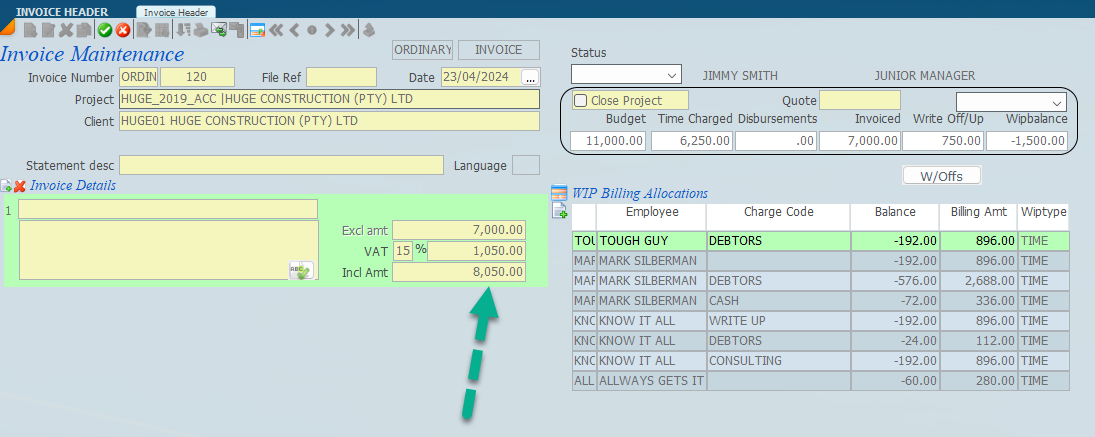
Click the green tick and it will copy the totals to the left hand side into the yellow area as follows.
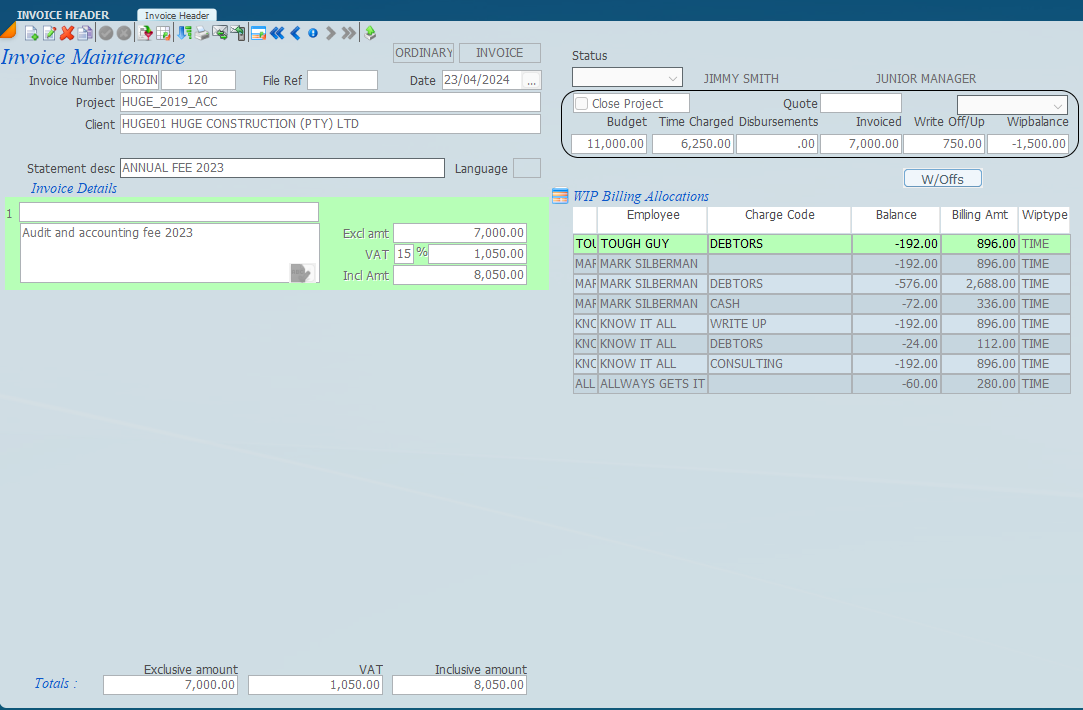
Now insert the global narration and the statement description.